- HOME
- Product news
- How to protect your online course content on TrainerCentral: Watermarking, access control, and secure exams
How to protect your online course content on TrainerCentral: Watermarking, access control, and secure exams
- Last Updated : November 16, 2026
- 8 Views
- 5 Min Read

Creating an online course takes considerable time, knowledge, and effort. Trainers spend hours planning lessons, recording videos, preparing resources, and building assessments. For a training business, this content is one of its most valuable assets. Protecting it becomes even more important as the business grows.
When paid course material is copied or shared outside the academy, the damage goes beyond losing control of a few files. It can affect enrollments, reduce revenue, and expose valuable intellectual property to unauthorized use.
Building a strong content protection system is therefore an important part of running any online training business. TrainerCentral provides built-in content security features that help trainers protect online course content, control access, and conduct secure assessments.
Here is how TrainerCentral helps protect your content when you deliver it online.
Dynamic watermarking to protect your course content
Most learners access course content for its intended purpose. However, it only takes one unauthorized copy for a premium video or workbook to circulate beyond your academy.
Dynamic watermarking helps reduce this risk. It places identifiable information directly over the content a learner views. The watermark can include the learner’s details. This connects every copy to the account that accessed it.
Add dynamic watermarks to course videos
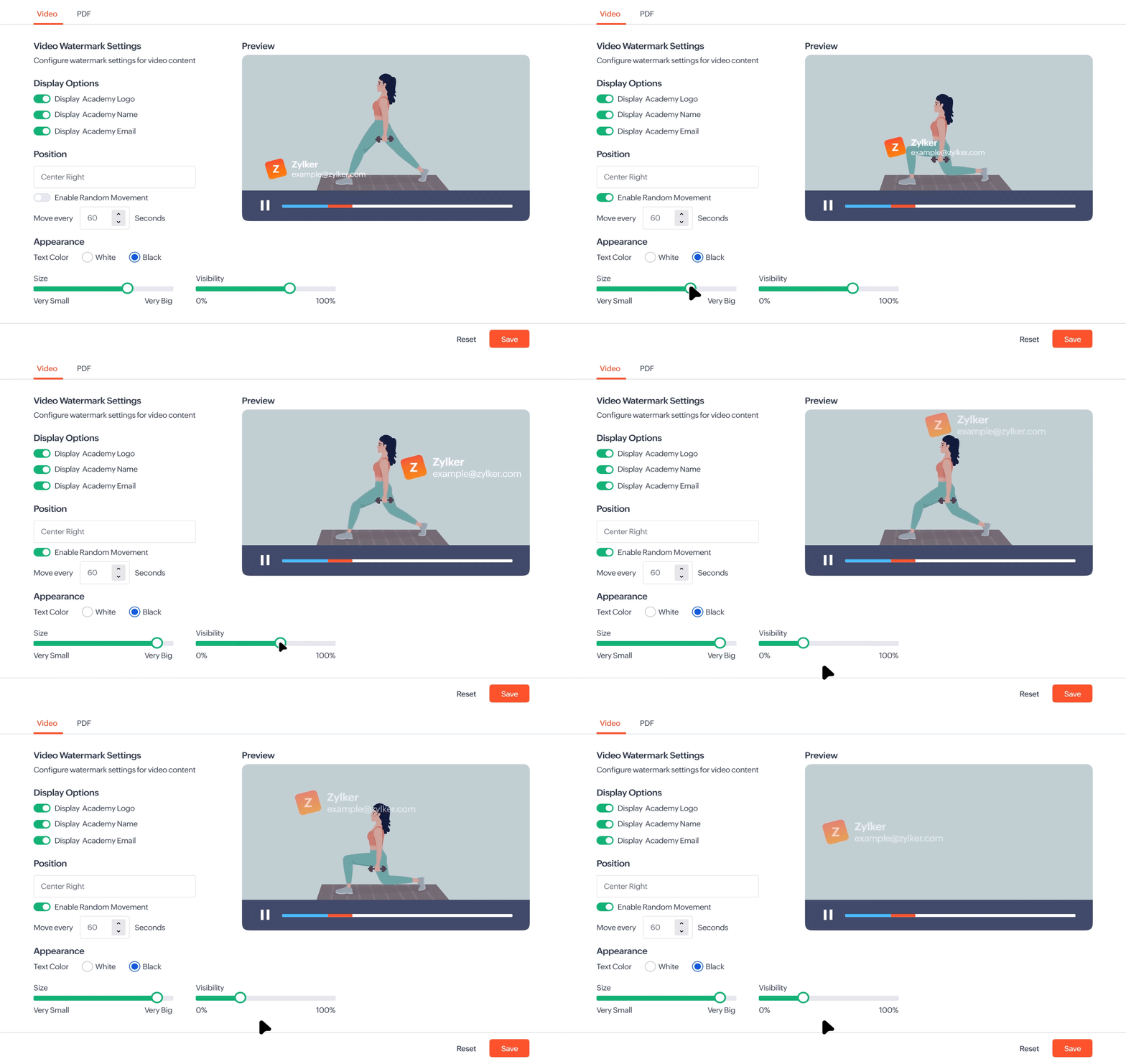
TrainerCentral gives you control over what appears in a video watermark. You can display the academy name, academy logo, learner name, or learner email address. You can also use other identifying information that is relevant to your academy.
The watermark’s appearance can be customized to suit the video. You can adjust its size, color, position, and opacity. A visible watermark does not have to interrupt the learning experience. The aim is to make it clear enough to deter misuse without covering important content.
You can choose between fixed and moving watermarks. A fixed watermark stays in a selected position throughout the video. A moving watermark changes position during playback. This makes it harder to hide, crop, or cover in a screen recording.
You can also decide how frequently the watermark moves. This gives you more control over the balance between content protection and viewing comfort.
Suppose a learner records a premium lesson and shares it with others. The learner’s email address remains visible in the recording. This helps the academy identify the source of the copy. More importantly, the visible identifier may discourage the learner from recording it in the first place.
Add personalized watermarks to PDFs
Videos are not the only valuable materials in an online course. Workbooks, templates, study guides, research documents, and proprietary frameworks may be just as important.
TrainerCentral lets you add personalized watermarks to PDF content. The watermark can appear in a fixed or diagonal position. It can also repeat across every page. Its size and opacity can be adjusted to suit the document.
Imagine that an academy provides a proprietary workbook as part of a paid certification program. If a learner shares the PDF outside the academy, their identifying information remains on the document. The academy can trace the shared copy back to the account that accessed it.
Watermarking cannot prevent every attempt to share content. However, it makes unauthorized copies traceable and creates a clear deterrent against misuse. You can also read this help article on how set up watermarking for your course content.
Restrict screenshots and screen recording across devices
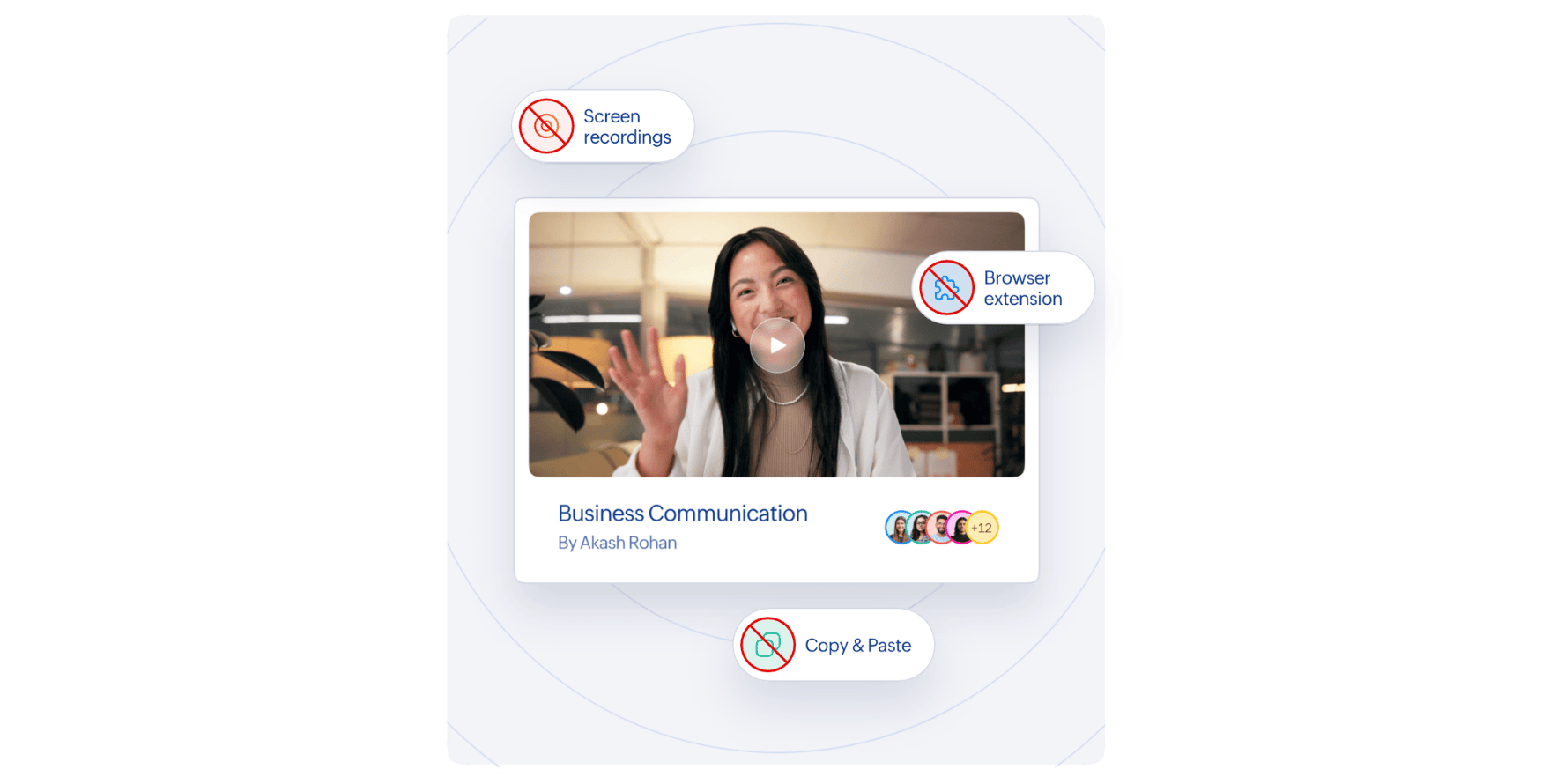
Watermarking makes unauthorized copies traceable. Screenshot and screen-recording restrictions address the risk earlier by making course content harder to capture.
TrainerCentral restricts screenshots and screen recording by default within its supported learner apps. The protection applies across desktop and mobile apps. This helps trainers secure content even when learners switch between devices.
Together, these controls reduce two common ways digital content can be copied. They are especially useful for protecting premium video lessons, copyrighted materials, certification resources, and confidential training content.
Control course access through desktop and mobile apps
Some training programs require more control over where learners access their content. This is especially important for premium courses and high stakes assessments.
TrainerCentral allows trainers to enable device restrictions for courses and assessments. When this setting is enabled, learners can access the protected content only through the supported TrainerCentral desktop and mobile apps. Access through desktop browsers is blocked.
Trainers can apply this restriction to an entire course. In this case, learners must use a supported learner app to open lessons and complete the assessments included in the course.
The restriction can also be applied only to assessments. Learners can then study the course through a browser but must use a supported app to take the test.
This flexibility allows trainers to choose the right level of control for each program. They can restrict access to an entire premium course or apply additional protection only where it is most important.
Strengthen assessment integrity with kiosk mode
Online assessments need a controlled environment to produce reliable results. Learners should complete a test based on their knowledge without referring to outside material or getting help from other applications.
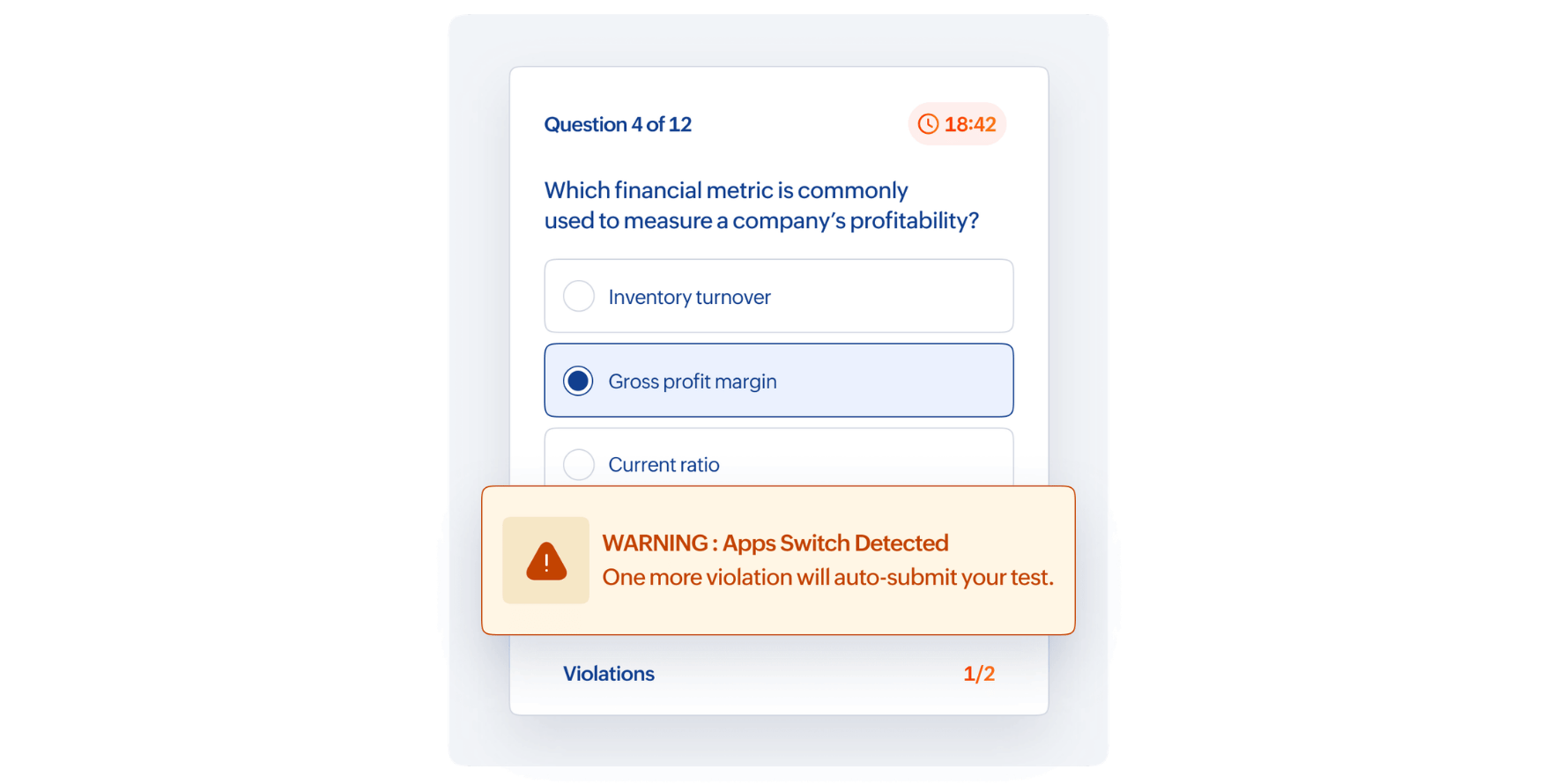
Kiosk mode in the TrainerCentral Learner Desktop app adds tighter controls to the test environment. It restricts learners from switching windows or opening other applications during an assessment. It can also block pasting, screen mirroring, and the use of external displays.
If a learner attempts to switch away from the assessment, TrainerCentral displays a warning. If the learner reaches the maximum allowed limits, the assessment is submitted automatically.
For example, a learner taking a certification exam may try to open a notes application during the test. TrainerCentral warns the learner when they attempt to leave the assessment. After the third attempt, the test is submitted automatically.
These controls create consistent testing conditions for every learner. They help trainers protect the integrity of assessment results and maintain the credibility of the certificates they issue.
Protect learner accounts with multi-factor authentication
Course content can still be exposed if someone gains access to a learner’s account. A password may be compromised, reused across services, or shared with another person. Multi-factor authentication adds a second verification step to reduce this risk.
Academy administrators can enable multi-factor authentication for all learners. After entering their password, learners must verify their identity using a one-time password. This helps prevent unauthorized users from accessing paid courses, assessments, and other academy resources.
Safeguard academy data with secure infrastructure
Content security also depends on how academy data is stored and managed. TrainerCentral runs on Zoho’s secure cloud infrastructure. It follows recognized security and privacy standards, including ISO/IEC 27001, ISO/IEC 27701, ISO/IEC 27017, ISO/IEC 27018, and SOC 2 Type 2. The platform also supports organizations in meeting their GDPR compliance requirements.
Wrapping up
Protecting course content should not make learning difficult for genuine learners. The right security controls work in the background while trainers continue to deliver courses and assessments with ease.
TrainerCentral brings content protection, access control, assessment security, and data protection into one platform. These safeguards help reduce unauthorized sharing, protect training revenue, and preserve the value of every course.
As an academy grows, its content reaches more learners and becomes more valuable. With the right protections in place, trainers can expand their programs with confidence while keeping their content, assessments, and academy data secure.