- HOME
- Building a business
- A detailed guide on LMS for training institutes: Features, pricing, and evaluation tips
A detailed guide on LMS for training institutes: Features, pricing, and evaluation tips
- Last Updated : April 15, 2026
- 134 Views
- 10 Min Read


Online training institutes today are growing faster than ever by expanding markets, onboarding more learners, and delivering training programs across multiple formats.
As they grow, operational complexity increases. Managing multiple batches, coordinating trainers, and maintaining consistent learning experiences becomes harder at scale.
This is why training institutes require a specialized Learning Management System (LMS) that can centralize course delivery, automate batch management, and gain visibility into learner progress and business performance.
These purpose-built LMS tools enable institutes to manage instructor-led training, self-paced courses, bulk enrollments, and reporting within a single scalable platform.
In this guide, you’ll learn how to choose the best LMS for training institutes, what features matter most, and how to evaluate platforms based on your operational needs and growth plans.
What is an LMS for training institutes?
An LMS for online training institutes is a centralized platform where institutes can create courses, manage multiple trainers, deliver content to large groups of learners, track progress across batches, and generate reports on learner engagement and business performance.
They’re quite different from platforms that are built for solo course creators or corporate internal training. Specialized training institute LMS systems focus on:
- Managing multiple course batches.
- Coordination across trainers with different specializations.
- Ability to host both self-paced courses and instructor-led live sessions.
- Support bulk enrollments and batch-based learner management to scale seamlessly.
Ideally, the core functionality of the tool should be able to manage operational complexity while keeping the learning experience consistent across all trainers and batches.
Why training institutes need specialized LMS platforms?
Training institutes deal with specific operational problems that solo course creators and corporate L&D teams don’t have.
Volume and scale
When you have hundreds or thousands of active learners across multiple courses at once, you need a solid and flexible infrastructure. The LMS platform should be scalable and have the bandwidth to manage the load even when batches fill up quickly and courses run simultaneously.
Trainer coordination
You employ multiple trainers who teach the same or different courses. The LMS has to handle trainer assignment, schedule coordination, performance tracking, and consistent content delivery without creating a mountain of admin work. Otherwise someone on your team spends all day notifying people of their upcoming schedules and classes.
Business model requirements
Training institutes sell courses directly to learners. They require integrated payment processing, flexible pricing, and enrollment management without platform fees that could easily eat profit margins. If the training institute sell courses globally, then the LMS should support country-specific pricing and multiple payment gateways.
Core LMS features online training institutes need
An LMS for training institutes should robustly support how training programs are designed, delivered, and managed on a day-to-day basis.
Instead of simply focusing on generic LMS features, the focus should be on LMS capabilities that simplify operations, ensure consistency, and reduce manual effort. The following features are essential for running training programs efficiently at scale.
1. Course creation and content management
- Multimedia course builder: Support for video lectures, PDF downloads, presentations, images, embedded links, and text materials organized into chapters and lessons. Training institutes typically create standardized curriculum that multiple trainers deliver the same way.
- Content library for reuse: A central repository for training materials, session recordings, and assessments that can be shared across courses and trainers. This cuts out duplicate content creation and keeps things consistent.
- AI-powered course development: Some modern LMS platforms include AI tools to generate course outlines, lesson text, and quiz questions, which cuts down development time for new programs. This helps when you’re expanding into new subject areas quickly.
- Controlled content release: Automate course delivery by setting predefined timelines for when chapters and lessons become available. This prevents learner overwhelm and creates structured pacing similar to cohort-based programs.
2. Assessment and certification tools
- Comprehensive assessment builder: Support for multiple question formats: single choice, multiple choice, fill-in-the-blank, essay questions, and image-based questions. Advanced assessment features like question shuffling, negative marking, timed assessments, and customizable passing scores help gauge learners’ comprehension effectively.
- Assignment management: A practical evaluation where learners submit assignments for trainers to review and grade. Training institutes use assignments to assess hands-on skill application beyond theoretical knowledge tests.
- Professional certification system: Automated certificate generation with customizable templates, unique verification IDs, and LinkedIn sharing. Certificates build credibility for training programs and work as recognized credentials for learners. Courses that offer verifiable certificates tend to see 40-60% higher completion rates.
3. Learner engagement features
- Discussion forums: Lesson-specific and course-wide discussion boards let learners help each other and interact with trainers. Forums reduce repetitive questions by letting learners find answers from previous discussions.
- Progress tracking dashboard: Learners need visibility into their own progress: completion percentages, upcoming deadlines, quiz scores, and certification status. Self-service portals reduce support requests.
- Mobile learning access: Native mobile apps for iOS and Android help learners access courses, attend live sessions, take assessments, and submit assignments from anywhere. Mobile access matters particularly for professional development courses where learners study around work schedules. Also, the white label-friendly learner mobile app support is essential to ensure branding consistency across platforms.
4. Learners batch management
In training institutes, there are multiple training programs that run in parallel, each hosted by different trainers. So, batch management is an essential LMS feature that helps training institutes organize learners into groups, create custom learning paths, set class schedules, synchronize deadlines, and assign trainers.
- CSV import for mass enrollment: Training institutes often enroll 50 to 500 learners at one time from corporate clients or educational partnerships. CSV upload lets you do bulk enrollment without manual data entry.
- Organization management: Group learners by organization when selling training programs to external companies. Assign organization-specific moderators and generate organization-level progress reports.
- Custom registration forms: Collect demographic details, skill levels, language preferences, and specific learner information during signup. This data lets you personalize instruction and segment cohorts.
5. Multi-trainer coordination
- Trainer assignment and management: Add multiple trainers to your academy with role-based permissions. Assign trainers to specific courses or batches based on expertise. Training institutes typically have subject matter experts who specialize in particular topics.
- Standardized content delivery: Even with multiple trainers, the course content, assessments, and materials should stay consistent. The LMS should separate content (standardized curriculum) from delivery (trainer-led sessions and grading).
- Trainer performance visibility: Track metrics per trainer: learner satisfaction ratings, completion rates in their batches, response times to questions, and assessment grading consistency. This data helps maintain quality standards across all trainers.
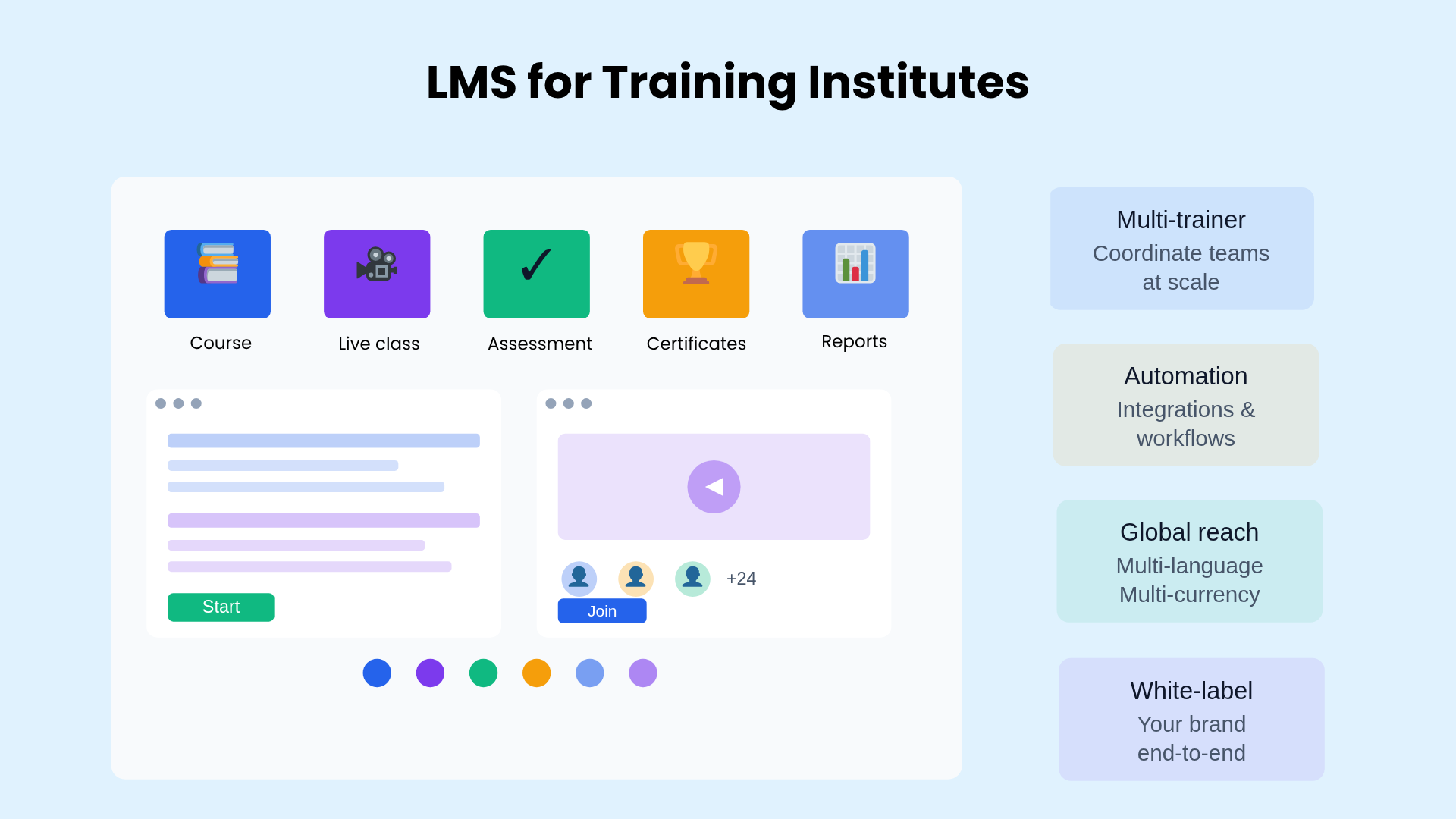
6. Blended learning support (Self-paced + live)
Modern training programs deliver both self-paced content and live instructor-led sessions. So, the LMS should ideally support both delivery modes without any friction.
Built-in virtual classroom vs. third-party integrations
Training institutes greatly benefit from platforms like TrainerCentral that offers integrated live classroom features compared to systems that rely on separate video conferencing tools like Zoom or Google Meet.
Why LMS with built-in live classroom tools are a best fit:
- Single login for learners (no switching between systems).
- Automatic attendance tracking linked to course records.
- Session recordings stored directly in course content.
- Live polls and quizzes.
- Unified dashboard combines both self-paced and live training metrics.
- No additional subscription costs for video conferencing tools.
Key features training institutes need in a live classroom tool:
- Screen sharing and group video for presentations.
- Interactive whiteboard for visual explanations.
- Breakout rooms for small group activities and discussions.
- Live chat (public and private messaging).
- Real-time polls and quizzes during sessions.
- Custom virtual backgrounds for professional appearance.
- Recording and storage with playback for absent learners.
7. Robust session scheduling tools
Flexible scheduling capability is crucial for the smooth functioning of training institutes. A well-organized schedule creates a good learner experience and makes it easy for trainers to plan their day efficiently.
- Simplified schedule management: Set up recurring session schedules at once without manually creating each event. This is necessary for ongoing training series and cohort-based programs.
- Time zone management: Automatic time zone conversion so that global learners can see schedules in their local time, preventing confusion for institutes serving international audiences.
8. Reporting and progress tracking
When business grows, training institutes require a comprehensive visibility into learner performance, trainer effectiveness, and business revenue.
- Learner progress analytics: Track individual learners through course completion percentages, lesson-by-lesson progress, assessment scores, time spent on materials, assignment status, and live session attendance. At a cohort level, analyze batch-wise completion rates, average scores, engagement metrics like forum activity, trainer performance comparisons, and helps identify learners who may need additional support.
- Business performance metrics: Monitor revenue and enrollment by tracking income per course, enrollment trends, subscription and payment status, refunds, churn, and overall course popularity. It also evaluates operational efficiency through metrics such as average course completion time, support request volumes, trainer utilization, and certificate issuance.
- External shareable reports: Generate automated reports on learner performance and program effectiveness for corporate clients purchasing training services. This matters for B2B training institutes serving external organizations.
Compliance documentation: For industries requiring training compliance (e.g., healthcare, finance, manufacturing), automated reports provide documentation for regulatory requirements.
9. Geographic and language expansion
This is a crucial aspect to look into when you’re evaluation an LMS for your training institute. When selling courses globally, the courses have to be offered in different languages.
- Multi-language support: Platform interface and course content support for multiple languages lets you expand into new markets.
- Multi-currency payment processing: Accept payments in learner local currencies through integrated payment gateways supporting global transactions.
10. Scalability for growing training programs
Training institutes expand in multiple dimensions: more learners, more courses, more trainers, and even geographic market expansion.
- Concurrent user capacity: How many learners can access courses simultaneously without performance degradation? Some platforms handle 100 concurrent users smoothly but slow down significantly at 500+.
- Live session participant limits: What’s the maximum capacity for live workshops? Training institutes conducting large webinars or workshops need platforms supporting 100 to 500+ participants simultaneously.
- Storage and bandwidth: Video-heavy training programs need substantial storage and bandwidth. Check whether the LMS includes unlimited storage or charges per GB beyond certain thresholds.
- Unlimited course creation: Be careful when choosing platforms that set caps on the number of courses because this restricts program expansion. Training institutes typically offer 10 to 50+ different courses.
- Multi-trainer scaling: Can you add trainers as your team grows? Some platforms charge per trainer seat, which gets expensive as you scale.
- Multi-academy support: Advanced institutes running different training brands or serving multiple client organizations benefit from platforms allowing multiple separate academies under one account.
11. Integration and workflow automation
Training institutes benefit from connecting their LMS with other business systems to automate workflows and eliminate manual data entry.
- Payment gateway integration: Support for multiple payment processors (e.g., Stripe, PayPal, Razorpay, Paytm, Mercado Pago) lets institutes accept payments globally and offer learners preferred payment methods.
- Email marketing platforms: Sync learner data with email marketing tools (e.g., Mailchimp, ActiveCampaign) to nurture leads, send course updates, and re-engage inactive learners.
- Zapier and integration tools: Access to Zapier or similar automation platforms connects with 5,000+ apps without custom development.
Common automation workflows include:
- Adding new enrollees to email campaigns automatically.
- Creating CRM contacts when learners register.
- Exporting completion data to Google Sheets.
- Triggering Slack notifications for support requests.
- Updating employee skill records after course completion.
- API access: Public API access lets training institutes with development resources build custom integrations with proprietary internal systems or create specialized dashboards.
12. White-label branding support
Training institutes often operate under their own brand and need a consistent, professional identity across all learner touchpoints. A white-label LMS allows institutes to deliver training programs under their own brand.
- Custom domain and branded website: Host your training academy on your own domain (for example, academy.yourbrand.com) with full control over branding elements such as logos, colors, typography, and layout. This helps maintain a consistent brand experience from discovery to course completion.
- Branded learner experience: From login pages to course interfaces and certificates, every interaction should reflect your institute’s identity. A fully branded environment builds trust and credibility, especially when working with corporate clients or external partners.
- White-labeled mobile apps: For institutes delivering training at scale, mobile access is essential. White-labeled mobile apps allow learners to access courses, attend live sessions, and track progress under your brand, not the platform’s.
- Multi-brand or multi-academy support: Some training institutes operate multiple programs or serve different client segments. The ability to create separate academies under different branding helps manage distinct audiences without mixing content or learner data.
Common LMS pricing models for training institutes
LMS platform pricing varies significantly based on feature requirements, learner volume, and revenue models.
Subscription-based pricing (flat fee): Monthly or annual subscription with fixed pricing regardless of revenue generated. This model provides cost predictability and works well for high-revenue training institutes.
Example: $50 to $500 per month depending on features and learner limits.
Pricing based on active learner count: Charge based learners enrolled in courses during a billing period. This pricing model can easily increase as the business grows.
Example: $2 to $10 per active learner per month.
Other hidden costs to consider
- Payment processing fees: Separate from platform fees, payment gateways charge 2% to 3% per transaction. These are unavoidable but vary by processor.
- Premium feature add-ons: Some platforms charge extra for white-label branding, custom domains, mobile apps, advanced integrations, or priority support.
- Overage charges: Watch for platforms charging additional fees when you exceed learner limits, storage quotas, or live session capacity.
- Implementation and training: Enterprise platforms may charge thousands for onboarding, setup, and staff training. Factor these one-time costs into total cost of ownership.
How to evaluate LMS platforms for training institutes
Evaluating an LMS starts with clearly defining your needs, such as learner volume, delivery model (self-paced vs. instructor-led), and operational complexity including trainers, courses, and batch management.
From there, assess platform capabilities by checking core features that are pivotal for your business. It’s equally important to test the platform hands-on through demos or trials—build real courses, run sessions, and evaluate usability across administrators, trainers, and learners to ensure smooth adoption.
Beyond features, focus on scalability, reliability, and long-term costs. Verify how the platform performs under peak usage, its uptime guarantees, and the quality of support and documentation provided. Finally, calculate the total cost of ownership, not just subscription fees, but also setup, integrations, support, and scaling costs over time.
Want a deeper, step-by-step breakdown? Check out our detailed guide on how to evaluate an LMS platform effectively.
Final thoughts
Choosing the right LMS for your training institute is a strategic decision that affects how efficiently you operate, how well your trainers deliver content, and how successfully your learners complete their programs.
The platform you select should solve real operational problems, manage multiple batches, coordinate trainers across courses, automate enrollments, and scale without constant manual intervention. The right LMS should eliminate administrative friction and give you more time to focus on what matters—delivering high-quality training that helps your learners succeed.