- HOME
- Building a business
- Selling digital downloads with your course: A guide for trainers
Selling digital downloads with your course: A guide for trainers
- Last Updated : June 11, 2026
- 143 Views
- 8 Min Read

You've spent weeks creating your course.
The lessons are recorded, the curriculum is structured, and learners are starting to enroll.
But somewhere inside that course, there may be another product waiting to be sold.
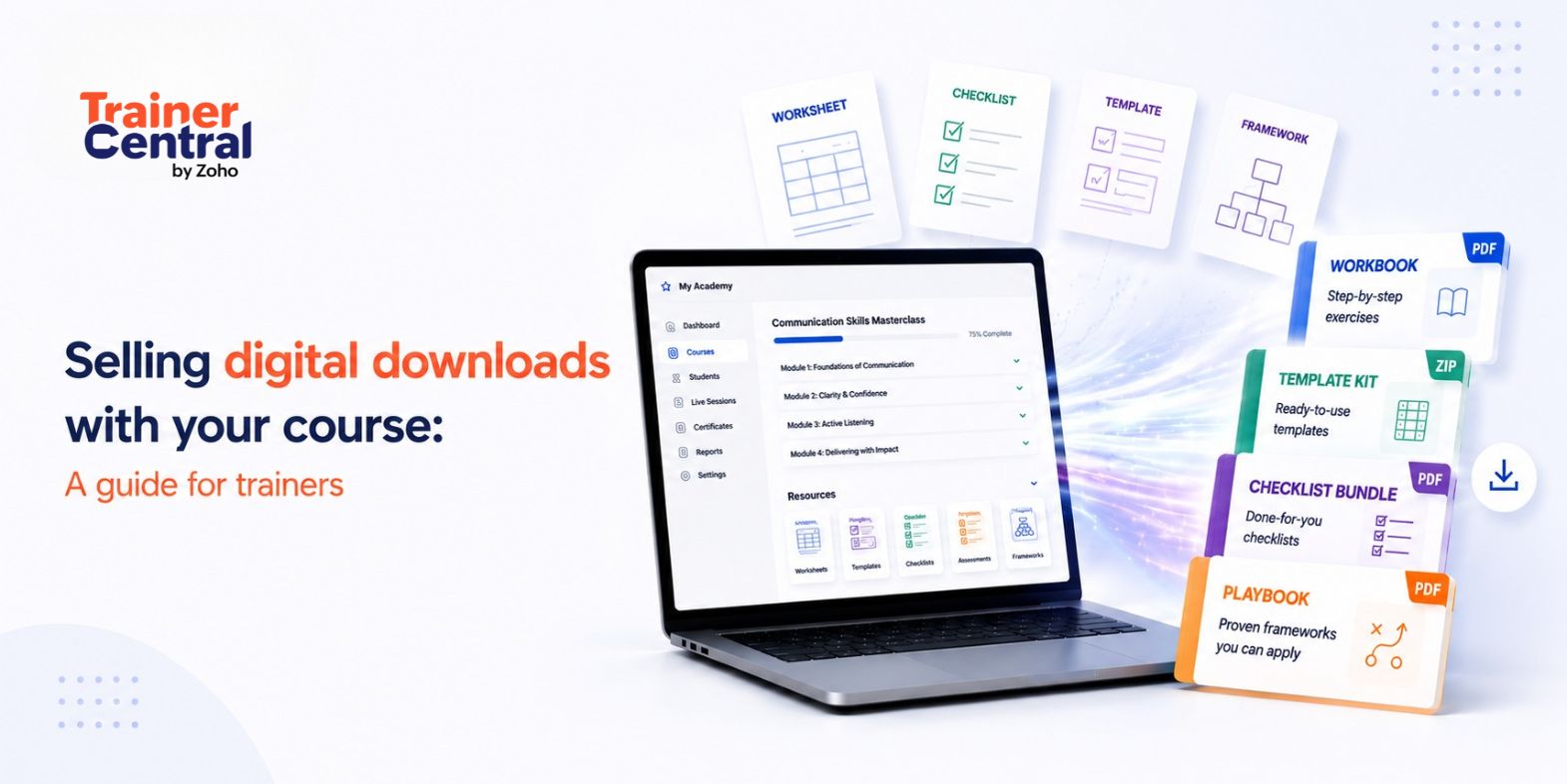
Think about the resources you've already created to support your learners: worksheets, templates, handouts, checklists, guides, assessments, lesson summaries, and frameworks. These materials may have started as course support resources, but they can also become digital downloads that learners purchase separately, use alongside your course, or return to after completing it.
The best part is that you don't always need to create something new.
A worksheet can become a workbook, a checklist can become an action guide, a framework can become a playbook, and a set of templates can become a resource kit.
For trainers, this is a practical way to extend the value of existing course content. Digital downloads can help you serve learners who aren't ready for a full course, offer more value to enrolled learners, and create additional revenue streams from resources you already use.
In this article, we’ll explore how to turn your course resources into sellable digital downloads, package them effectively, and add them to your training business without starting from scratch.
Why course resources make strong digital downloads
Course resources make strong digital downloads because they're already built around learner needs. Unlike generic digital products, course resources usually come from real teaching moments. They help learners understand a concept, complete an exercise, solve a problem, or apply what they have learned. That makes them useful beyond the course.
For example, a presentation trainer may create a storytelling framework to help learners structure their talk. A leadership trainer may create a feedback conversation worksheet. A marketing trainer may create a campaign planning template. These resources may be part of the course, but they can also stand on their own when packaged clearly.
Courses help learners understand a topic. Digital downloads help them put that understanding into action. You are not creating something disconnected from your course. You are turning the most practical parts of your course into resources learners can use again and again.
How to identify sellable resources inside your course
Before you create a new digital download, look at what you have already built. The best ideas often come from the worksheets, templates, frameworks, guides, and exercises learners use the most.
Start by asking:
- Which worksheets do learners complete most often?
- What templates do you use repeatedly in your own work?
- Which frameworks do learners keep coming back to?
- What resources do learners ask for after the course?
- Which activities generate the most engagement?
- What tools help learners save time or take action faster?
| Existing course asset | Potential digital downloads |
| Lesson summaries | Quick-reference guide |
| Worksheets | Workbook |
| Assessments | Evaluation toolkit |
| Templates | Template bundle |
| Frameworks | Playbook or guide |
| Exercises | Practice workbook |
| Checklists | Action guide |
| Handouts | Resource pack |
The goal is to identify resources that already help learners move forward and package them in a way that makes them easy to buy, access, and use.
How to turn course materials into standalone downloads
A course resource may be useful inside a lesson, but it may need small changes before it can work as a standalone digital download. Inside a course, learners have your explanations, videos, examples, and context to guide them. Outside the course, the resource needs to be clear enough for someone to understand and use on its own.
Add context
Explain what the resource is for, who should use it, and what outcome it supports. For example, instead of offering a simple presentation planning worksheet, you can explain that it helps learners organize their main message, audience needs, supporting points, and call to action before building their slides.
Include simple instructions
Don't assume learners will know how to use the resource. Add short instructions, examples, or prompts wherever needed, especially if the download was originally used inside a course lesson where you explained the activity verbally.
Make it outcome-specific
A good digital download should help learners achieve one clear outcome. Instead of creating a broad marketing workbook, create a “Campaign Planning Workbook.” Instead of a general leadership guide, create a “Feedback Conversation Toolkit for Managers.” Specific downloads are easier to understand, promote, and use.
Package related resources together
Some resources become more useful when they're bundled. For example, a presentation planning worksheet, slide template, storytelling framework, and delivery checklist can become a complete presentation toolkit. The key is to bundle resources that support the same outcome.
Refresh the design and format
A resource created for course use may need a cleaner layout before it's sold separately. Make sure the download is easy to read, organized, and usable. Add section titles, instructions, examples, and editable formats where needed.
Course materials you can repurpose into downloads
Not every course resource needs to become a digital product. The best downloads are practical, reusable, and tied to a clear learner need.
| Course material | How to repurpose it |
| Worksheets | Turn them into guided workbooks that help learners complete exercises or apply concepts. |
| Templates | Package them as editable files learners can use to save time and start faster. |
| Checklists | Turn them into action guides that help learners follow a process step by step. |
| Frameworks | Convert them into playbooks or quick-reference guides learners can revisit. |
| Assessments | Package them as evaluation toolkits, self-assessments, or readiness checks. |
| Lesson summaries | Turn them into practical guides or reference materials. |
| Multiple related resources | Bundle them into a toolkit around one clear outcome. |
For example, a presentation toolkit could include a planning worksheet, slide templates, storytelling prompts, and a delivery checklist. A marketing toolkit could include a campaign planner, content calendar, audit checklist, and reporting template.
The most effective digital downloads are the ones that solve a specific problem clearly.
Digital download ideas by profession
Different trainers can turn different course assets into digital downloads depending on what they teach and what their learners need.
| Trainer type | Digital download idea |
| Marketing trainer | Content calendar bundle, campaign checklist, social media audit template |
| Business coach | Goal-setting workbook, business planning template, strategy worksheet |
| Presentation trainer | Slide template pack, storytelling framework, presentation checklist |
| HR trainer | Interview scorecard kit, onboarding checklist, employee assessment form |
| Leadership trainer | Feedback conversation toolkit, team assessment worksheet, leadership reflection workbook |
| Fitness coach | Workout planner, progress tracker, meal planning worksheet |
| Finance trainer | Budget tracker, financial goal worksheet, expense planning template |
| Career coach | Resume template, interview prep checklist, career planning workbook |
| Language trainer | Vocabulary worksheets, grammar practice workbook, speaking prompts |
| Art or design trainer | Design checklist, project practice sheets, creative brief template |
| Music trainer | Practice planner, chord charts, technique worksheets |
| Wellness coach | Habit tracker, self-care planner, reflection workbook |
The best digital download ideas help learners complete a task, practice a skill, or apply a lesson without needing to revisit the entire course.
Ways to sell digital downloads alongside your courses
There are several ways to sell digital downloads with your courses. The right approach depends on where the download fits in the learner journey.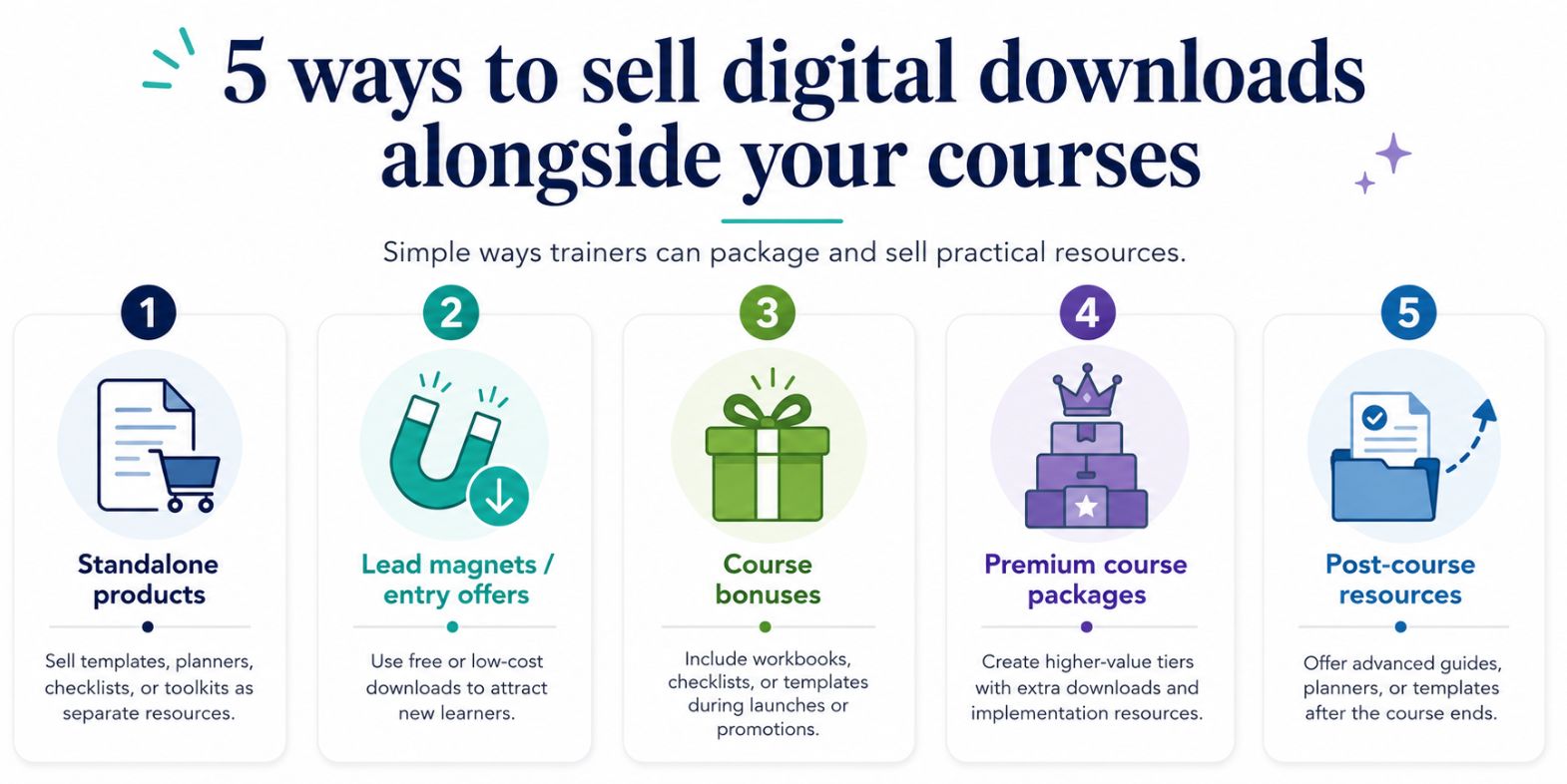
Sell digital downloads as standalone products
Some learners may only need one specific resource rather than a complete course.
A standalone digital download can help people who aren't ready to commit to a full training program but still want practical guidance. For example, a learner may purchase a project planning template, presentation framework, or marketing checklist to solve an immediate problem. If they find value in the resource, they may later enroll in your full course.
Use digital downloads to attract new learners
Digital downloads can help potential learners experience your expertise before investing in a course.
Templates, checklists, guides, and planners provid e immediate value while showcasing your teaching style and approach. A useful resource can build trust, demonstrate your knowledge, and encourage learners to explore your courses when they're ready for deeper learning.
Offer digital downloads as course bonuses
Digital downloads can be used as bonuses during course launches, promotions, or limited-time campaigns.
A good bonus should complement the course and help learners apply what they are learning. For example, you might include a workbook, checklist, resource guide, or template bundle that supports the course outcome and enhances the learning experience.
Create premium course packages with digital downloads
Digital downloads can help you create multiple course tiers that appeal to different learner needs.
A standard package may include only the course content, while a premium package may include additional workbooks, templates, assessments, checklists, and resource kits. These resources provide extra support and help learners put concepts into practice more effectively.
Sell post-course resources to existing learners
Learning doesn't stop when a course ends. Many learners need practical tools to help them apply what they've learned in real-world situations.
Post-course digital downloads—such as implementation guides, planners, toolkits, and advanced templates—can help learners continue making progress. These resources should extend the learning experience and support the next stage of the learning journey rather than repeat materials already included in the course.
How to match downloads to the learner journey
Digital downloads work best when they feel like a natural extension of your course. Before you package a resource, look at where it fits in the learner journey.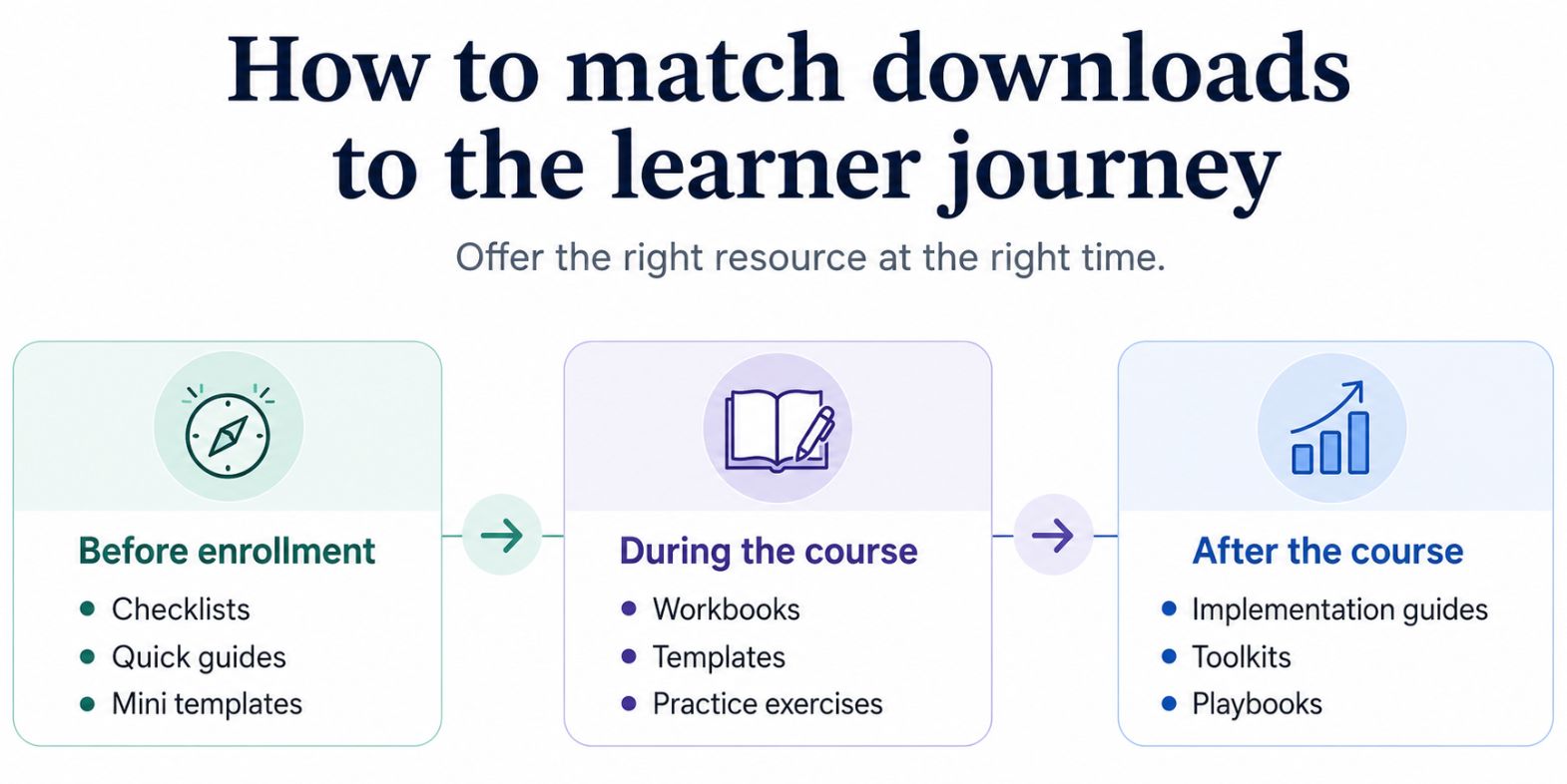
Before enrollment, a template, checklist, or short guide can help someone experience your expertise before committing to a full course. During the course, workbooks, worksheets, templates, and assessments can help learners apply what they are learning. After the course, advanced templates, implementation guides, planners, and reference materials can help learners continue using what they learned.
For example, a presentation planning worksheet could be sold before the course to help learners organize their ideas. A slide template pack could be bundled with the course to help them build their presentation. A delivery checklist could be offered after the course to help them prepare for real presentations.
This keeps your downloads connected to the learning experience. Instead of seeing them as random files, learners see them as practical tools that help them move forward.
The more clearly your downloads connect to your course outcome, the easier they are to position, sell, and use.
Why digital downloads need more than a file-sharing setup
At first, selling a digital download may seem simple.
You create a file, collect payment, and send the resource to the learner.
But as your training business grows, this can become harder to manage. You may have courses, live sessions, downloadable resources, payments, learner communication, certificates, and follow-up materials running at the same time. If each part of that process sits in a different tool, the business can quickly become difficult to manage.
That's why digital downloads shouldn't be treated as isolated files. They work best when they're connected to your larger training business. When your courses, resources, payments, and learner access work together, the experience becomes smoother for both you and your learners.
The real opportunity is building a training business where your courses, resources, and learner experience support each other.
TrainerCentral helps trainers create, deliver, manage, and monetize online training from one platform, so your courses, resources, payments, and learner management can work together without depending on disconnected tools.
FAQs
Can I create digital downloads from existing course content?
Yes. Many digital downloads begin as worksheets, templates, frameworks, assessments, exercises, or guides that were originally created for a course.
What digital downloads work best with online courses?
Workbooks, templates, checklists, worksheets, assessments, frameworks, and resource kits work especially well because they help learners apply course concepts.
Should I bundle digital downloads with my course?
Yes, if the downloads support the course outcome. Bundling can increase the perceived value of your course and give learners practical tools to use while they learn.
What should I sell as a standalone download?
Sell resources that can be useful even without the full course. Templates, checklists, guides, planners, assessments, and toolkits usually work well as standalone downloads when they solve a specific problem.
How do I know if a course resource can become a digital download?
A course resource may work as a digital download if learners use it often, ask for it after the course, revisit it repeatedly, or use it to complete a practical task.