The 10 best platforms to create and sell online courses: A detailed comparison

With so many platforms out there, finding the best online course platform to create and sell your online courses can feel like searching for a needle in a haystack. Every online course business is unique, with different priorities and goals. That’s why it’s crucial to choose a platform that aligns well with your teaching style and operational needs.
In this product review post, we have shared our insights and feedback based on our hands-on experience using each platform, thoroughly researching user feedback and other publicly available resources. This analysis will help online course creators understand the strengths and weaknesses of each platform and help them confidently choose a platform that aligns best with their business goals.
Broadly, trainers have two choices of platforms to get started in the online training industry.
Online course platforms
These platforms equip trainers with a bunch of tools to create, sell, and manage their online courses on their own terms. Trainers usually pay a flat subscription fee or sales-based commissions to access these platforms and conduct their business.
Online course marketplaces
A marketplace where thousands of trainers list their courses for sale. These marketplaces handle all the heavy lifting, such as marketing, sales, and support, in exchange for steep commissions for each sale. Trainers usually have very limited control over pricing, branding, and access to learners' data.
How do you choose the best platform to create and sell your online courses?
The objective of using an online course platform is to establish your own training brand, create your training website without writing any code, promote your courses easily, and provide learners with an effective learning experience. In addition to needing features to meet these goals, you must consider your budget and any platform’s pricing when choosing an online course platform.
The ability to add course materials in multiple formats so you can keep your learners engaged and deliver a more effective learning experience.
The flexibility to price your courses in multiple currencies and with different pricing structures so that prices are dynamic with respect to learners’ countries and needs.
Built-in tools like virtual classrooms, quizzes, and other engagement features so you don’t have to worry about buying and integrating third-party applications.
Built-in marketing tools for SEO, email automation, social media integration, and more.
No transaction fees for selling your courses through the platform.
Online Course PlatformsTrainerCentral
Overview
TrainerCentral is an all-in-one online training platform launched by Zoho as the successor to Zoho ShowTime. It is designed for educators, trainers, coaches, and course creators to create online courses, host live virtual classes, market their digital products, and to track learner and business analytics from a single system.
TrainerCentral’s mission is to be a one-stop platform for turning your expertise into a full-fledged training business that generates passive income. Its core appeal is the integration of multiple tools into one product and the ability to deliver both on-demand courses and live training without external integrations.

Key Features
Course creation & delivery
TrainerCentral’s feature set spans course creation, delivery, marketing, and management. It has a course builder that lets you organize multimedia lessons including videos, PDFs, slide decks, images, or embedded links, into a structured curriculum.
You can schedule content releases (drip scheduling), assign assignments, and issue graded quizzes or tests as needed. The assessment builder supports multiple formats like single choice, multiple choice, fill-in-the-blanks, essay questions, and image-based questions.
You also have the option to shuffle questions and answer choices, add negative marks, configure passing grades, and even time your tests, which will be useful for coaching institutes or formal training environments.
A standout capability is the built-in virtual classroom. You can host live video sessions, workshops, or webinars, complete with screen sharing, a whiteboard for complex explanations, live polls, quizzes, and breakout rooms for group activities, without the need for external webinar tools like Zoom or Google Meet.
TrainerCentral also has a mobile learning app that allows learners to attend live classes, access course materials, take tests, and submit assignments directly from their mobile devices.
Learner experience & engagement
Learners get a secure portal to access their couurse materials, and track their progress. Each lesson can have its own discussion thread, allowing interaction between trainers and peers. Learner feedback is easy to collect, helping you refine your course content over time.
The platform also automates routine tasks like issuing course completion certificates, which can be customized and shared across platforms like LinkedIn, and sending notifications for class schedules or cancellations.
Website & sales tools
TrainerCentral offers a no-code website builder with predefined templates, drag-and-drop editing, CSS customization, and SEO settings. You can personalize your training website with a custom domain and branded email.
Sales pages support multiple pricing models like free, one-time, subscriptions, installments, partial payments, and allow configuration in various currencies.
Payments are processed through built-in gateways or custom options via Zapier or Zoho Flow. Notably, TrainerCentral charges zero transaction fees, so instructors keep 100% of their earnings.
Administration & analytics
Admins have access to a dashboard to monitor learner progress, engagement, revenue, and overall course performance. In higher plans you get additional capabilities like multi-language course support, full rebranding with custom domains, and AI-assisted course design to generate lesson outlines and assessments automatically.
Pros
TrainerCentral is easy to use and has a plethora of features, that makes it a great choice for both new and seasoned course creators. The no-code platform lets you build your website, and course pages, without needing any technical skills.
TrainerCentral has all the tools that you need to run your online training business, under one roof. You can host live classes, manage assignments and assessments, run tests, issue certificates, and track learner progress from a single dashboard.
The built-in virtual classroom replaces the integration for external tools like Zoom or Google Meet, and the website builder eliminates the need for additional platforms for hosting or marketing your courses.
TrainerCentral’s pricing is another highlight. It is affordable, especially for solo educators or small teams just starting out. Even the lower-tier plans have all the essential features, and the platform doesn’t charge any transaction fees.
Support is available even on the free plan, something that is rare among other online course platforms. This makes it easier for creators to get started and try the platform without being burdened by commitments.
Another benefit is its tight integration with Zoho’s ecosystem. If you already use tools like Zoho CRM, Bookings, or Desk, you can connect them to TrainerCentral using Zapier or Zoho flow, and build a complete online training business.
Cons
TrainerCentral doesn't support SCORM yet. Those using legacy LMS platforms may still need SCORM support to transfer their existing content. As a workaround, TrainerCentral’s support team offers help with manual migration of course materials from any platform to theirs.
There’s no built-in support for interactive videos. You can embed interactive video content, but you won’t be able to track learner engagement based on interactions like clicks or choices within the video. Other gamification features, such as leaderboards, are also currently missing.
The community feature is fairly basic at the moment. However, the team is actively working on improving this area, with upcoming features that could support creators in offering gated membership communities. Some advanced capabilities like affiliate marketing are not available yet.
The free tier is limited to just three courses, which means most growing training businesses will eventually need to switch to a paid plan to unlock essential features.
Pricing
TrainerCentral’s pricing is transparent and simple. There is a permanent Free plan ($0/month) that allows unlimited learners but caps you at 3 live courses, and you can't sell them.
Beyond that, the Starter plan is $20 per month for one trainer account. It removes all limits on courses and users, and includes all the core LMS tools (live classroom for up to 50 attendees, quizzes, certificates, drip scheduling, forums, website builder, payment integration, multi-ticket checkout, coupons, etc.).
The top-tier Professional plan is $50 per month and covers up to 3 trainer accounts; it unlocks every feature including advanced options (breakout rooms, multi-language support, custom domain, bulk invitations, detailed admin console, learner analytics dashboard, etc.). Notably, all paid plans charge zero transaction fees, so instructors keep 100% of course revenue.
Online Course PlatformsLearnWorlds
Overview
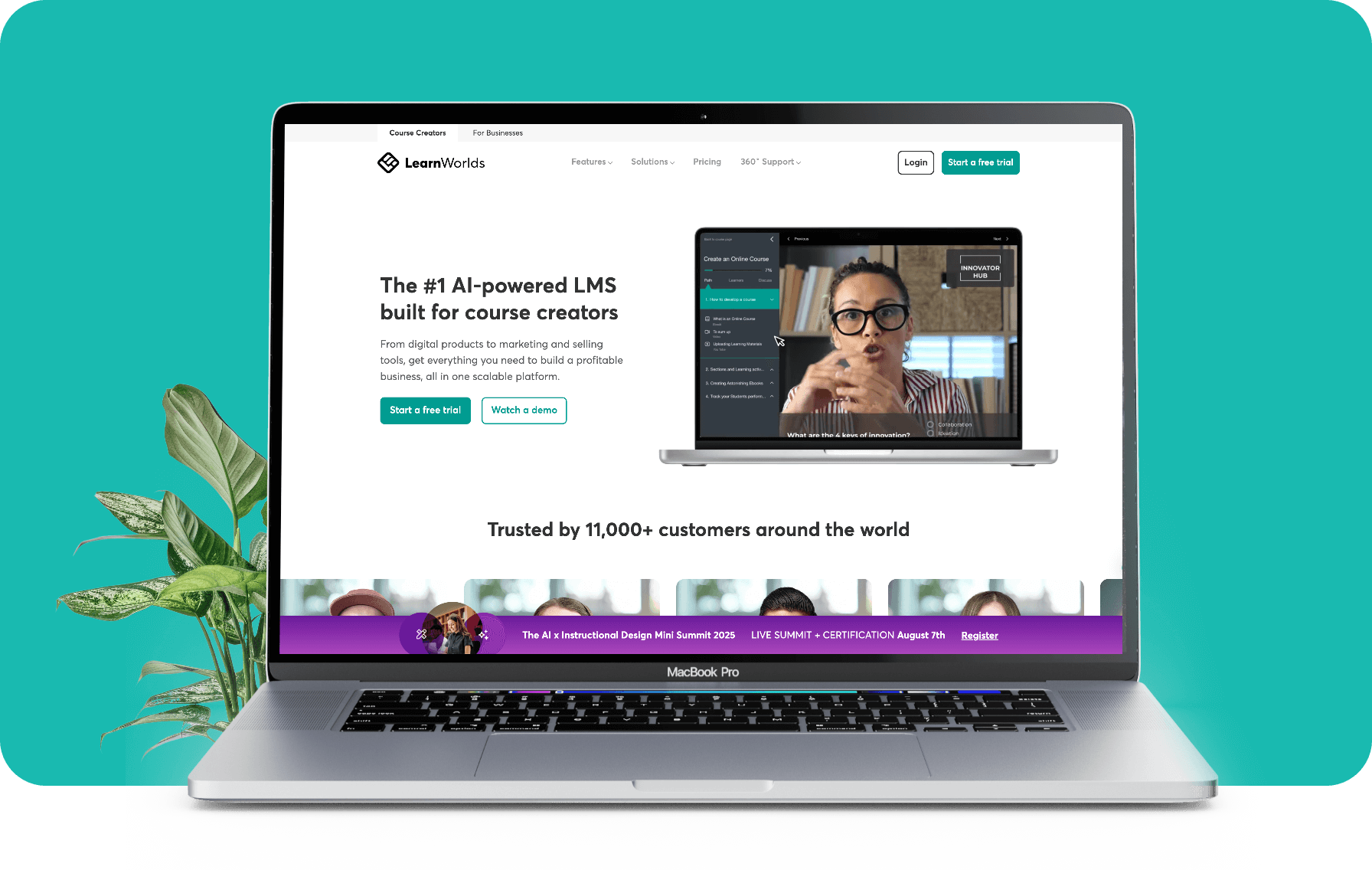
LearnWorlds is an all-in-one cloud-based learning platform designed for course creators, coaches, and educators who want to build branded online schools. LearnWorlds combines several features like course and website builder, interactive learning tools (quizzes, surveys, certificates, live classes, etc.), and integrated sales and marketing features.
The platform is used by a wide range of creators. The site notes LearnWorlds is “trusted by 15,000+ customers around the world”. It includes support resources like online documentation, webinars, and even an AI content assistant for course planning and creation.
Key Features
Course creation
LearnWorlds' course Builder provides a drag-and-drop interface for organizing lessons and embedding multimedia. You can mix text, video, images, SCORM/HTML5 files, quizzes, and other interactive elements in each course.
Creators can set up prerequisites, drip schedules, and course certificates, and even attach surveys and assignments to gauge learner progress.
LearnWorlds’ built-in video editor lets instructors insert interactive hotspots, questions, and branching paths into videos, enhancing engagement and learning outcomes. This is a more advanced approach than basic video hosting offered by many platforms.
Website & design tools
On the design side, LearnWorlds lets you build a fully branded academy site with dozens of customizable templates. A website builder enables you to launch a course catalog, landing pages, and blog, with full white-label capabilities.
LearnWorlds can also generate a branded mobile app for iOS and Android, so students can access courses on smartphones under your own logo and color scheme.
Marketing & sales features
On the marketing and commerce side, LearnWorlds provides a built-in sales engine with coupons, bundling, subscriptions, and checkout features. You can offer discount codes, upsells and bundles of courses, and even run an affiliate program to let others promote your courses.
The checkout system integrates with Stripe, PayPal and supports one-click payments (Apple Pay, Google Pay, Klarna, etc.) for a smooth experience. It also connects with common tools to help automate marketing campaigns and track conversions.
Analytics
LearnWorlds includes strong reporting and management features, giving detailed insights into course performance. You can monitor total enrollments, completion rates, time spent per activity, quiz results, and more in real time.
The platform even includes a heatmap of learner engagement in content, helping you identify which materials are most effective.
For site administration, LearnWorlds supports custom user roles and multiple instructors, 24/7 email support on higher plans, and in-depth data integrations so you can plug in tools like Mixpanel or your CRM.
Pros
LearnWorlds offers strong learner engagement features and has a high level of customization.
It’s possible to build a fully branded school, everything from color schemes and typography to navigation structures can be tailored to match a creator’s brand identity. This makes LearnWorlds attractive to professionals who want their academy to feel uniquely theirs.
LearnWorlds' interactive video editor, built-in assessments, certificates, and course communities all contribute to an engaging and educational experience for learners.
The platform continues to roll out new features, including AI-powered authoring tools, and offers 24/7 support on higher-tier plans.
For the level of customization, engagement tools, and support included, LearnWorlds stands out as a robust solution for creators who want more than just a basic course host.
Cons
LearnWorlds' feature-rich interface can be complex. The site-builder and course-builder are powerful but not as drag-and-drop-simple as some lightweight tools, so new users often face a learning curve. Non-technical creators may find initial setup slower, especially if they want highly customized layouts.
Another downside is pricing structure at the entry level. The Starter plan is affordable, but it restricts some key features. It only allows three site pages and one admin account, and does not support free courses. Importantly, it imposes a $5 transaction fee on every paid enrollment, which many note can quickly erode profits if you sell multiple courses.
For a business-ready setup requires at least the Pro plan to remove that fee and unlock engagement tools. If you depend on highly specialized learning features, LearnWorlds may not cover every edge case out of the box.
The student-facing app works well, but certain administrative tasks work best on desktop for now. And while LearnWorlds constantly improves, small businesses or solo instructors who only need very basic functionality might find the platform more complex than they need.
Pricing
LearnWorlds offers four main plans, plus enterprise, on a subscription basis. The Starter Plan is priced at $24 per month and includes unlimited courses, basic marketing integrations, drip-scheduling, and 24/5 email support.
However, it does not allow free courses, limits site design to three pages, and charges a $5 fee on each paid course sale.
Upgrading to the Pro Trainer Plan costs $79/month and removes that transaction fee, unlocks advanced features like custom certificates, memberships, live classes, e-learning app, etc., and increases admin seats to 5.
The Learning Center Plan costs $249 annual, is aimed at larger academies. It includes everything in Pro plus full white-labeling, advanced automation, unlimited SCORM, detailed analytics, and up to 25 admins.
High-Volume/Corporate Plan is available for enterprises needing dedicated resources, advanced security like SSO, SLAs, and has 99.95% uptime, and a dedicated success manager.
Online Course PlatformsTeachable
Overview
Teachable is an all-in-one online course platform aimed at creators, coaches and small businesses who want to package and sell knowledge with minimal technical hassle. It provides a self-hosted “school” complete with course pages, landing pages, email tools and payment processing in a no-code environment. Teachable positions itself as the simple, no-code way for anyone with expertise to launch a branded online training business.

Key Features
Course creation
Teachable's lesson editor is a drag-and-drop interface where creators can bulk-upload media (videos, PDFs, audio, etc.) and arrange them into sections and lectures. You can add quizzes, downloads and even assignments. On higher plans you can award certificates for course completion. Student progress is tracked automatically, and analytics show how far each student has come.
Website & design Tools
Teachable also has a no-code site builder so you can create a branded school website without external tools. An intuitive drag-and-drop editor lets you construct any page, be it home page, sales page, About page, etc., just by moving elements around. You can customize the theme’s colors, fonts and images to match your brand, and on paid plans even inject custom CSS or HTML via the power editor for advanced tweaks.
Marketing & sales features
The platform bundles a suite of built-in marketing features to help sell courses. You get coupons and discount codes, order bumps and one-click upsells at checkout, plus the ability to bundle multiple courses together or offer subscription plans. There is also a native affiliate management system with which you can screen affiliates, set commission rates, track their referrals. Teachable also lets you add tracking pixels on pages to measure ad performance, and has basic email broadcasts so you can message enrolled students. Analytics dashboards report enrollments, revenue and student engagement, helping you tweak your funnel.
Payments & payouts
Teachable handles all the payment mechanics for you. It supports Stripe and PayPal gateways for major currencies, and even offers its own payout system (Teachable:Pay) for automated transfers. When a student buys, Teachable collects the payment, deducts any processing fees, and pays out to you daily or monthly depending on your settings.
Community & membership
Teachable offers a basic community feature so students can interact beyond course content. Instructors on paid plans can enable a forum-like space where enrolled students post and comment in topic channels.
Mobile accessibility
Teachable courses are fully responsive, and there is a dedicated iOS mobile app (An Android app is still in the works.) for students. The app allows offline viewing and automatically syncs progress, which creators say boosts course completion rates.
Pros
Teachable’s biggest strengths are its ease of use and comprehensiveness. Almost all features live under one roof, so creators don’t have to stitch together multiple tools. The course builder is particularly intuitive.
The sales page templates and overall look-and-feel have an aesthetic appeal which helps give an established brand vibe out of the box.
Another major advantage is Teachable’s integrated commerce and student tracking. For example, because Teachable handles payments internally, creators benefit from not having to pay outside transaction fees or manage tax collection.
Built-in marketing tools like affiliates, coupons, upsells, drip schedules, etc. work out-of-the-box, so you can funnel sales without cobbling together plugins.
Teachable offers a free tier and extensive resources that lower the entry barrier. Creators can sign up and begin building courses without paying anything upfront. Even on the free plan, you can create content and run a school.
Cons
Pricing and fees are the major pain points. The Starter plan has 7.5% transaction fee makes it impractical for serious selling, and also just allows only one product to be publsihed. This can can quickly eat into revenue.
Even on higher plans, there are several feature caps and you still pay Stripe/PayPal fees, so the cost of doing business on Teachable is non-trivial. Even basic customization like custom CSS is gated to the Business-level plan. In short, smaller creators often feel the cost-to-value ratio is poor.
Teachable’s simplicity is also its limitation. Its design customization is somewhat constrained. You can change colors and fonts and use three standard course-layout templates, but you can’t radically alter the look without paid-code work.
Similarly, advanced learning tools are basic , the quiz generator and grading options are rudimentary, and deeper LMS features like SCORM support, skill paths, complex testing are absent.
Teachable can send announcements, but if you need automated drip campaigns or complex segmenting, you’ll need an external service. Its community/forum feature is useful but minimal, more of a simple discussion board than a full-fledged community platform.
Pricing
There is no and the Starter plan starts at $29/month, with 7.5% transaction fee on each sale. Also, this plan supports only 1 product to be published. his essentially makes it a testing plan. It’s fine for building a course and even enrolling a few users, but nearly unusable for serious selling due to the high cut.
The Builder plan costs about $69/month (billed yearly) It removes the transaction fee, and includes unlimited courses and students, and allows 5 published products.
There are also two other plans, Growth ($139/month) and Advanced ($309/month), with flexibility in feature caps and unlocks certain new features like white-labeling and third-party integrations.
Online Course PlatformsThinkific
Overview
Thinkific is built to help course creators and small businesses design, market, and sell online courses. The platform aims to be an all-in-one solution, allowing instructors to create and host courses on their own branded sites, publish content in various formats, and integrate marketing and sales features without technical hassle.

Key Features
Course creation
Thinkific, like any other course platforms, has the drag-and-drop course builder, that requires no coding to build a wesbite or create a course. Creators can upload course content in multiple formats like videos, PDFs, quizzes, text lessons, and even downloadable resources, then organize them into modules or chapters as needed.
Thinkific offers interactive tools that support learner engagement. Instructors can add quizzes and graded assignments, and automate completion certificates issuance to reinforce learning.
Course content can be dripped on a schedule or gated by prerequisites. Thinkific provides detailed analytics on enrollments and completion rates, and even AI-driven content suggestions to help with course creation.
These analytics help creators see how students interact with the material and identify where to improve or focus their outreach.
Website & design tools
The platform also includes a built-in website and landing-page builder with customizable themes and SEO tools, so instructors can set up a professional course site, with a custom domain, without needing external site tools.
Marketing & sales features
Thinkific makes selling courses straightforward by integrating payment and marketing features directly into the system. You can sell courses and other products through various pricing models like one-time purchases, subscription plans, or installment payment options, all processed by Stripe.
Because Thinkific uses Stripe natively, creators receive funds instantly and retain 100% of sales revenue. Thinkific also supports coupon codes, bundles, and an affiliate program to boost sales.
Administration & analytics
Admins have access to a dashboard to monitor learner progress, engagement, revenue, and overall course performance. In higher plans you get additional capabilities like multi-language course support, full rebranding with custom domains, and AI-assisted course design to generate lesson outlines and assessments automatically.
Pros
Thinkific has clean interface and drag-and-drop editor that allows non-technical users set up courses very quickly. Learning curve is gradual, so that beginners can train themselves on the system in just a few hours.
Even though the builder is simple, it still allows ample customization. For example, instructors can rebrand the course player, adjust page layouts, and embed rich media without coding. This means instructors can focus on teaching rather than technical setup.
Another strong point is Thinkific’s support and reliability. The company provides extensive help documentation and a responsive customer support team. The platform itself is stable and scales well as enrollments grow.
Because Thinkific does not take any sales commission in any of its plans, instructors know they keep virtually all of their revenue
Cons
Thinkific's course and site page layouts are rigid. The advanced styling requires manual CSS, which is available only in higher plans. While the interface is easy to learn, it can be a bit limiting in its functionality for those who want full creative control.
For many instructors these constraints can be manageable, but Thinkific may not suit educators seeking full creative freedom in page design. Advanced users can work around some limits via the HTML/CSS editor in higher plans, but that requires technical skill.
Thinkific’s native discussion forum is fairly basic. Likewise, certain workflow conveniences are missing. For instance, copying quiz questions in bulk is not supported, forcing instructors to rebuild content manually.
Pricing
Thinkific offers four subscription plans. The Basic plan costs $36 per month and includes the essential course creation and selling features.
The mid-tier Start plan is $74/month and adds advanced capabilities like unlimited live lessons (via Zoom), unlimited digital downloads, membership (recurring subscription) options, and the ability to edit HTML/CSS on pages.
The Grow plan runs at $149/month and builds on these with bulk student enrollments, priority support, advanced reporting, and enterprise API access. (Thinkific Plus is available at custom pricing for enterprise customers.)
Thinkific also provides a 14-day free trial on all its paid plans, allowing creators to test features before committing.
Online Course PlatformsKajabi
Overview
Kajabi is an all-in-one knowledge commerce platform built for online course creators, coaches, and small businesses. You get a website builder, course/membership hosting, email marketing and automation, payment processing, and more.
Because Kajabi has been around for over a decade and is well-funded, it offers a stable, updated platform.

Key Features
Course creation
Kajabi combines course creation and website tools in one place. You can organize content into products with modules, lessons, quizzes, and downloadable files.
Video hosting is built in via Wistia, so uploading lectures or demo videos is straightforward (though each video is currently capped at about 4 GB). The platform even supports interactive elements. You can add quizzes, assignments, and basic gamification to make courses engaging.
Kajabi’s AI Course Setup tool can generate a course outline (modules and lessons) from a topic you provide.
Website & design tools
For the website side, Kajabi includes a drag‑and‑drop page builder with a library of page and course templates that are generally easy to customize. These templates provide a quick start, but many creators may find them somewhat basic. High-end designs often rely on purchasing a paid theme or hiring a designer for Kajabi.
Kajabi also handles branding. That is all plans include custom domains and the ability to apply your own logo/colors. The Growth and Creator plans even let you remove Kajabi’s branding entirely from the site.
Marketing & funnels
On the marketing side, Kajabi's email marketing tools let you send one-off broadcasts or automated sequences to your subscribers. Lower-tier plans have sending limits – for example, 7,500 emails/month on the entry “Kickstarter” tier. But higher plans allow unlimited sends.
Kajabi also has email A/B testing, further enhancing its native email platform. The pipeline (funnel) builder provides an intuitive editor for landing pages, opt-in forms, and automated follow-up emails. The lead-capture and sales funnel features help you drive sales of your digital products with ease.
Kajabi’s CRM (Contacts) and automation features let you tag and segment users based on behavior (e.g. products owned, email actions) and trigger email or site actions accordingly.
Additionally, Kajabi’s Creator Studio uses generative AI to repurpose content: for example, it can turn a single video into dozens of social-media clips, captions, or blog text for your marketing funnel.
Community & membership
Kajabi offers a dedicated Communities feature for discussion and membership areas. This works like a private social group or forum for your members. However, building a community from scratch in Kajabi requires an existing audience to be truly active.
Mobile & accessibility
The mobile experience is solid. Kajabi’s learner-facing pages are fully responsive, and Kajabi even provides branded iOS/Android apps (or a white-labeled app builder) so customers can access content on their phones.
Pros
Kajabi’s has everything integrated into one platform including landing pages, emails, courses, payments and even a blog. Kajabi integrates with Stripe and PayPal, and even offers Kajabi Payments in certain regions. You can easily set up one-click upsells, order bumps, and multi-step carts without a developer. Importantly, Kajabi charges 0% transaction fees on sales (you only pay the payment gateway’s fees), so you keep 100% of your revenue.
Kajabi offers excellent support and training. The platform includes extensive onboarding resources and there’s an active Kajabi Heroes Facebook community where creators share tips. Even complex funnels or automations can be accomplished through support chat or in-house experts.
Finally, Kajabi has focused on learner interface, with its page editor produces neat, mobile-responsive layouts. By tweaking colors and images on the built-in templates, the results look professional without much effort.
Cons
The biggest downside is price. Kajabi is one of the more expensive platforms in this space. Many small or new creators feel this is steep compared to simpler tools. There is no free forever plan, and even the trial requires a credit card, which some find off-putting.
Kajabi’s design editor is user-friendly but not infinitely flexible. For example, landing pages and checkout flows use predefined layouts, and advanced customization require need to code or hire Kajabi experts.
The platform has a simple UI, but you can’t edit raw HTML/CSS on pages unless you’re on the Pro plan. Similarly, you only get 100 form fields in their custom form (total across your whole account), which can be restrictive for complex applications or multi-step sign-ups.
Analytics and reporting in Kajabi are basic. You get useful statistics on email delivery rates, opt-ins and sales totals, but there is no deep cohort analysis or revenue forecasting. If you need advanced custom reports or complete data control, you’ll either need to use any external analytics or Zapier integrations (which can incur extra Zapier fees).
Kajabi's premium templates in their marketplace are quite pricey (often several hundred dollars each). Kajabi tends to favor convenience over customization, which many creators will love it, but power users wanting a completely bespoke site may find themselves bumping into limitations.
Pricing
Kajabi’s pricing (as of 2025) is structured into four tiers: Kickstarter ($89/month, or $71/mo billed annually) for one product and a small audience; Basic ($149/mo or $119 annual) for up to 3 products; Growth ($199/mo or $159 annual) for up to 15 products (adding features like affiliate programs and 24/7 support); and Pro ($399/mo or $319 annual) for up to 100 products and extra admin seats.
All paid plans include a 30-day free trial (30 days to test out the platform, though you do submit billing details upfront). There is often a promotional offer (e.g. three months of Growth for $99), but no free-forever tier.
Online Course PlatformsPodia
Overview
Podia is a comprehensive online course platform that helps trainers sell online courses, digital downloads, webinars, personal coaching services, and membership forums. The platform is popularly known for its simplicity and accessibility, offering a centralized, easy-to-access dashboard where the trainer can manage products, marketing, payments, and students communications from a single place.

Key Features
Course creation
Podia offers a simple and intuitive drag-and-drop course builder. It helps trainers organize their courses into sections and lessons, supporting different content media types such as videos, PDFs, and text.
Trainers can also add multiple choice quizzes as part of their courses and ensure learners are systemically trained and assessed.
Podia doesn't natively provide a live workshop module but rather depends on third-party tools like Zoom or YouTube. Trainers are expected to purchase Zoom licenses separately and integrate them with their Podia account.
Community & membership
Trainers can build a community within Podia for students to interact, ask questions, and engage with their content. The trainers can create different membership tiers with varying community access levels and courses. This helps trainers segment their audiences and promote products better.
Email marketing
Podia's offers a powerful email automation tool, using which trainers can create custom workflows and deliver tailored messages. The email builder tool is equipped with responsive HTML templates with an editor to customize the template and content as needed.
Website & sales features
The product sales pages can be designed using Podia's no-code website builder tool which comes with a bunch of pre-built themes which can be tailored as needed. Trainers can configure pricing tickets to each product—it can be one-time payments, part payments, or subscriptions. Upselling workflows can be created to sell additional products or services, increasing the average order value.
Coupons can be created for specific products or storewide use which comes handy for promotional activities. The built-in affiliate program management makes it easy for trainers to track affiliate sales and revenue.
Pros
Podia's biggest strength is its end-to-end marketing automation tools. Everything right from setting up a sales page to launching an email campaign can be done without the need of any third-party tools or plugins.
The small touches like being able to preview sales funnels, options to test email workflows, and managing all product types from a single dashboard go way beyond making Podia a simple and easy tool to use for trainers. Revenue acceleration features like customizable check outs, coupons codes, and affiliate tracking are added bonuses.
Cons
Relying on third-party tools like Zoom is a huge drawback for trainers preferring real time teaching. An addition subscription of ($15-20$/month) is required for Zoom.
While Podia covers the basics like video-based content creation and quizzes, it doesn't support features like SCORM or user-behaviour based course drip. Advanced quiz formats and time-based quizzes aren't supported as well. aren't available. For trainers looking to build a highly interactive learning experience, the platform might feel a bit limited.
When it comes to design flexibility, Podia is fairly restricted. It offers an extensive library of clean, functional templates for product landing pages, but they lack deeper customization options. There's no granular level control over layout design or access to custom CSS/HTML unless you're on the top-tier plan, and even then the customization options are minimal compared to website editor tools in platforms like TrainerCentral and Kajabi.
Pricing
Podia has two pricing tiers:
Mover plan ($39/month or $33/month billed annually plus an additional 5% transaction fee for each product sale). This plan is a good fit for trainers who are just getting started. In the Mover plan, features like PayPal integration, Zapier actions, and affiliate marketing aren't available.
Shaker plan ($89/month or $75/month/billed annually) is the top-tier plan in Podia, which is more suitable for well established trainers actively scaling their business. There are no limitations to the number of products or the number of learners in both the pricing plans—a huge advantage.
In addition to this, trainers can purchase Podia Email: The email automation module as an add-on. Its price depends on the number of email subscribers count.
Online Course PlatformsMighty Networks
Overview
Mighty Networks is a robust platform built for course creators who prefer to combine community, digital products, and memberships in a unified space. At its core, Mighty Networks is designed for trainers who want to build a tribe and not just sell digital products.
Trainers can create specific groups with similar learning goals, nurture them, distribute courses within communities where learners can interact, post questions, join challenges, and participate in live sessions. This unique approach makes the whole learning experience feel more cohort-driven than a static, one-way content delivery system.

Key Features
Community & Membership
In most online course platforms, trainers first create a course or academy, and community features, like discussion forums and chat groups, are added as an optional engagement layer for enrolled learners. Mighty Networks flips this model with a community-first approach. Learners first join the community space, and from within that space, learners can gain access to specific digital products like courses and other digital products. The entire learning happens in cohorts, making it a more collaborative and immersive experience by design.
Course creation
When it comes to course building capabilities, Mighty Networks supports all the essential elements such as multi-media support, drip schedulers, auto-graded quizzes, and surveys. Gamification features like daily streaks, learning milestones, and activity feeds help drive learner engagement.
Website & sales features
Trainers can promote courses and memberships directly through customized landing pages and sales workflows. It offers a drag and drop style website builder, which is quite limited compared to other platforms, but it does the trick.
You can configure one-time and recurring subscription tickets for community access or single courses. Tickets can be sold in multiple currencies, which is an added advantage when selling globally. Trainers also have the option to offer trials and free content access to attract new customers.
Live learning
The platform depends on Zoom for live workshops using a native integration that supports agile notifications and calendar sync. You can assign tickets to workshops and also invite learners from communities directly.
Pros
Mighty Network is known for its clean design, intuitive mobile apps, and gamification features. The platform truly excels in community building, which is essential to build a successful online course business.
The platform offers both Android and iOS apps for learners, providing a powerful opportunity to build a sustainable, loyal community even when learners are on the move. There's also custom branding options for top-tier license plans.
Selling courses is easy on Mighty Networks. The ticketing systems are very flexible through which trainers can easily create bundle, set multi-tier access to courses and communities. The platform by default supports Stripe for payments.
Cons
While Mighty Networks is known for community building, it lacks advanced course creation and delivery features. The course builder doesn't support some essential features like timed quizzes, completion certificates, and granular level progress tracking.
The next biggest drawback is that it only supports Stripe for payment. It doesn't even support PayPal, which is the most preferred gateway for independent course creators. The next issue is the transaction fees for every sale made in the platform.
Pricing
Mighty Networks has four pricing plans.
The Community Plan is $41/month/annually, which is basically a community space to interact and engage, and cannot be used to sell courses. For each sale in this plan, a 3% transaction fee is charged by Mighty Networks and (2.5 to 5%) is charged by Stripe.
The Courses Plan is $99/month/annually, which is suitable for course selling. The plan offers 1TB storage with few limitations. For each sale in this plan, a 2% transaction fee is charged by Mighty Networks and (2.5 to 5%) is charged by Stripe.
The Business Plan is $179/month/annually and comes with almost all the features, custom branding, and automation support. The plan offers 2TB storage. For each sale in this plan, a 2% transaction fee is charged from Mighty Networks and (2.5 to 5%) is charged by Stripe.
The Growth Plan is the top-tier all-inclusive plan starting at $360/month/annually offering priority support and advanced automations. For each sale in this plan, a 2% transaction fee is charged from Mighty Networks and (2.5 to 5%) is charged by Stripe.
Mighty Networks doesn't cap the number of courses and spaces created in any of their pricing plans.
PluginsLearnDash
Overview
LearnDash is a WordPress-based Learning Management System (LMS) plugin designed for individual educators and trainers who seek to build tailored systems to manage their online course business.
The plugin helps trainers customize every aspect of their teaching environment, from course structure to learner experience. To use LearnDash, the trainer must have a foundational understanding of WordPress and may involve additional costs like hosting and premium add-ons.

Key Features
Course creation
LearnDash is growing popularity amongst trainers who have sufficient technical expertise in WordPress websites. The WP plugin provides a bunch of tool frameworks that can be tailored according to the trainer's needs. The course builder module is comprehensive with all the necessary tools for course structuring, but the interface is quite outdated when compared to other products in the market.
Trainers can reuse content across different courses, which comes handy when creating multiple courses around similar topics. For example, a trainer can create a quiz in one course and use the same quiz in other courses as well, saving a lot of time.
LearnDash offers an advanced quiz module which supports different question types with deeper customizations. The trainers can configure re-attempts, negative marks, passing percentages, and set quiz timers too.
Auto certification module is available in LearnDash using which trainers can automate certificate issuance to learners. There are options to add background images and customize a few aspects of the certificate. For more customization, like adding dynamic tags and certificate IDs, a bit of coding is required.
Website & design tools
In terms of sales page building capability, the plugin itself is run on WordPress, which is one of the best website editors out there. With a little knowledge of HTML and CSS, it's easy to build responsive pages for courses and digital products.
One of the stand out feature of LearnDash is the ability to customize the learner interface. The trainers can use the drag and drop style builder to customize the look and feel of the learner's dashboard, enabling a top notch learning experience.
Live learning
To host live workshops, trainers should depend on third-party integrations. The platform does support one-click integration with webinar tools like Zoom and GoToWebinar. The trainers can manually integrate other webinar tools, which usually is a bit tedious.
Marketing & Sales features
When it comes to course selling capabilities, LearnDash depends on third-party plugins to create event and map the event to a particular course and configure the required ticketing structures. You can choose additional plugins to set up discount coupons and cart abandonment workflows.
Pros
One of the main advantages of choosing LearnDash is its flexibility and the ability to adapt to any complex requirement. It's a great choice of someone who is well versed in WordPress, prefers setting their own business workflow, and has the technical acumen to manage the system regularly.
Option like cloning and bulk actions saves a lot of time when making common changes across courses, a massive time saver when managing high course volume. You can create groups, add learners, and assign group leaders. For example, you can create groups based on team names, departments, batches, and add a group leader (like a manager or instructor) for each group. Now, the group leader will be able to monitor and track the progress of each learner which is ideal for B2B training and internal training requirements.
Cons
LearnDash is not a plug-and-play solution, you must have technical expertise to handle content hosting, plugin integrations and conflicts, and payment systems. The setup is usually built using different tools and plugins, so if something goes haywire, it's difficult to find out the route cause of the issue and fix them.
The next major drawback is the frequent plugin updates and version compatibility. There are chances of latest plugin updates are not being compatible with your current LearnDash version which might affect the operations and demands constant monitoring.
Pricing
LearnDash has two pricing models: LearnDash Plugin (Self hosted) and LearnDash StellarSites Learning (Hosting plus Plugin).
LearnDash Plugin (Self hosted) plan is best suited when you already have a website hosted on WordPress and install LearnDash as an additional plugin. It starts at $29/month/website with 10GB cloud storage. The plan has some features and third-party plugin integration limitations.
LearnDash StellarSites Learning (Hosting plus Plugin) plan helps you get started from the ground up. You can build your own website, access all the LMS features, and ProPanel (a customizable analytics dashboard). The StellarSites Pro plan starts at $80/month when billed annually.
Online Course MarketplaceUdemy
Overview
Launched in 2010, Udemy is one of the most popular online course marketplaces with 70 million learners. It’s completely free for trainers to join and list their courses, but with that ease comes steep competition and limited control over your business.

Key Features
Monetization and revenue model
Udemy offers two revenue models:
- 97% revenue share if the trainer promotes the course and makes a sale through their referral link or coupon.
- 37% revenue share for direct sales made through Udemy’s platform. One of the most common criticisms with Udemy's revenue model is the excessive pricing discounts. It offers significant discounts for courses (For example, a $99 worth course can be sold for $29), and the trainer can't control the pricing.
Course creation & tools
Udemy offers a robust course builder tool, using which trainers can systematically structure course videos into sections and chapters. The bulk content import feature makes it easy to manage the course assets.
It only supports basic multiple choice question type quizzes in courses. Images can also be added to questions and answer choices.
The course media player supports auto-captioning in several languages, making it easily accessible to global learners.
Marketing capabilities and competition
Udemy holds a strong brand presence in the e-learning market with over 70M learners worldwide. It runs extensive global ad campaigns helping trainers sell courses.
One of the major concern for trainers in Udemy marketplace is the extreme competitiveness and algorithm dependency. Courses listed higher in the listing page usually have a better sales rate. The trainers are expected to be patient for their course to rank higher and drive sales.
Community building and longevity
Trainers don't have access to their students' emails or data, making it difficult to build a lasting relationship with students. Udemy can be a good passive revenue making channel, but considering it be the primary revenue channel for a long-term business plan is not an ideal choice.
Online Course MarketplaceSkillshare
Skillshare
Skillshare is a leading creative online learning platform launched in the year 2011. The platform positions itself to be a one-stop creative skills learning platform offering a plethora of creative courses on art, music, design, writing, and content creation—actively expanding into other creative subjects too.

Key Features
Monetization and revenue model
SkillShare is a subscription-based platform. Students subscribe to the platform and access courses as they wish during the subscribed period—there's no individual course purchases.
SkillShare teachers can earn in two methods:
- Teachers can earn from the royalty pool based on the student watch hours. 20% of SkillShare's monthly subscription revenue is reserved for teacher payouts. The more watch hours a trainer gains, the more revenue share they make.
- The referral model is in which the trainer can promote the course on their own through a referral link and earn 60% of the student's first payment.
The concerning factor for course creators in SkillShare's revenue model is the unpredictability. The income depends heavily on attracting and retaining paid-watching students. With thousands of courses created daily and growing competitiveness, teachers are always on the run to build a portfolio of classes and generate referral sales to make a decent income.
Course creation & tools
Skillshare offers video-based course creation tools using which trainers can add video lesson (typically 5-10 minutes each). The trainers can also include an assignment to gauge their student learnings at the end of each course. Trainers can interact with students through discussion forums available for each course and also provide feedback for assignments.
SkillShare doesn't support the traditional quizzes or exams as part of the course curriculum building—instead learning is measured on their assignments. Trainers can also conduct one-on-one sessions using a built-in live interaction tool for select individuals.
Marketing capabilities and competition
The platform has built a strong reputation as a one-stop platform for creative skill learning. The one subscription for unlimited learning is a lucrative model and garners thousands of new learners every month.
The competition on Skillshare is quite intense, with daily addition of thousands of new classes on popular topics, discoverability depends on course quality and niche competitiveness. Trainers actively engage with the community and courses on trending topics to maintain visibility. The upside in teaching creative skill courses is the loyal audiences and lasting relationships. To maximize learning, trainers usually promote courses on their own using referral links.
Community building and longevity
Skillshare provides basic students interaction tools but it doesn't give teachers direct access to any student contact information. Trainers get a consolidated dashboard of courses hosted, performance reports, revenue analysis, and student communication summary, which can only be viewed and not exported. This means it is difficult to build a long-term student following beyond Skillshare's system. Some trainers direct students to external mediums such as newsletter signups and personal websites to build lasting relationships.
Disclaimer: All names and marks mentioned here remain the property of their original owners. The pricing details are as published by the named competitors on their website(s) on 10/07/2025 and are subject to change without notice. The details provided on this page are for general purposes only and cannot be considered as authorized information from the respective competitors. TrainerCentral disclaims any liability for possible errors, omissions, or consequential losses based on the details here.
Conclusion
All things considered, teaching online should be effortless and not require spending too much time learning the platform or integrating multiple tools. A great online course platform should have all of the required tools, like an intuitive site builder, graded quizzes, and virtual classrooms built in. It should be a balanced mix of personalization, automation, and centralization.
When it comes to a truly all-in-one online training platform, TrainerCentral is definitely the most affordable and versatile choice, because it offers the widest variety of core features for both trainers and learners in a unified architecture. However, while choosing an online course platform, we suggest that you to test out trial versions of a few platforms to choose the one that fits your needs and budget.
If you're interested in TrainerCentral, we can help you by scheduling a personalized demo. Alternatively, you can get a 15-day free trial by signing up here or writing to us at: support@trainercentral.com.